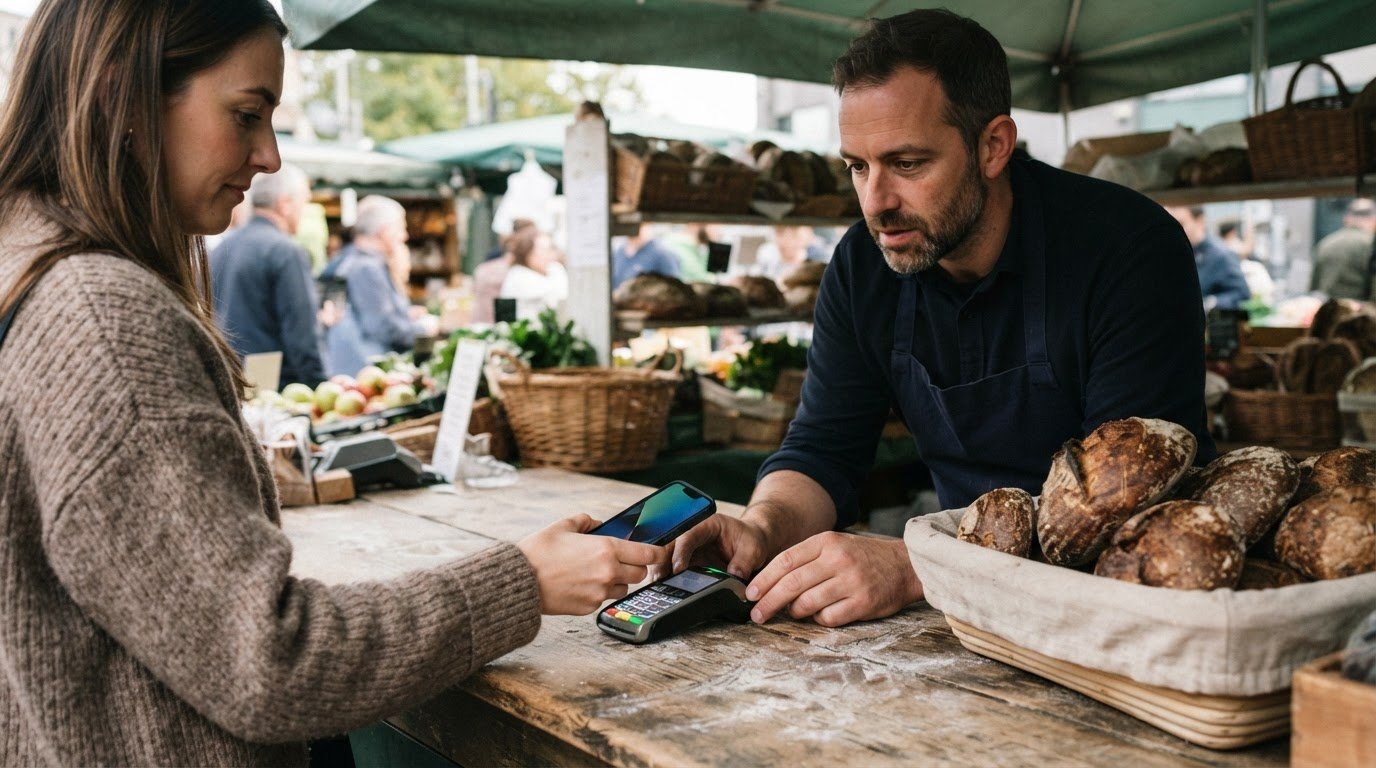
To accept Apple Pay for business in person, you need a compatible contactless terminal or a supported Tap to Pay on iPhone setup. There’s no separate Apple Pay terminal; your payment provider’s card fees still apply. If you already take contactless payments, check whether your setup supports Apple Pay before you start taking it.
This guide also explains how payment fees work and how payment links can help you take payments away from the till.
Key Takeaways
- Find out whether your current contactless terminal can take Apple Pay, or whether a supported Tap to Pay on iPhone app suits your setup.
- Understand how Apple Pay fees relate to your payment processor’s card-processing rates.
- Follow the simple in-person payment flow so customers know where to tap and when the transaction is complete.
- See how WaPay Payments and Invoices can help you manage customer payments alongside your everyday business admin.
Table of Contents
Does my business need any special equipment to accept Apple Pay?
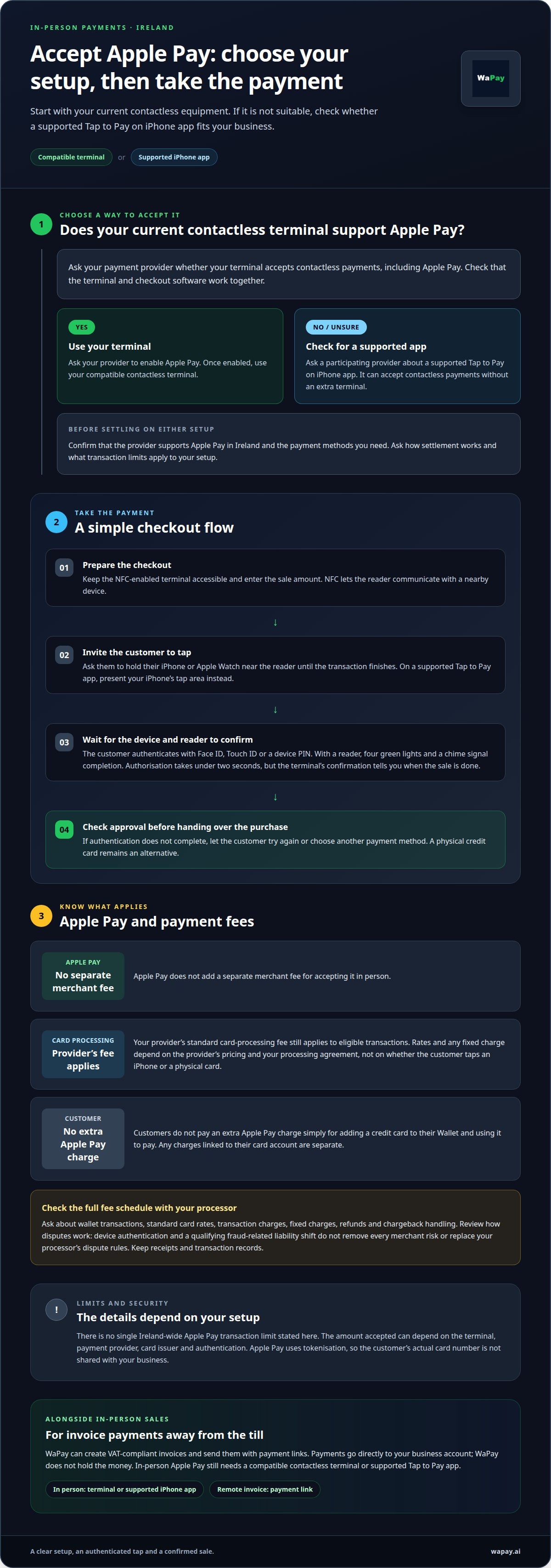
Not always. In Ireland, you can accept Apple Pay through a compatible contactless terminal or a supported Tap to Pay on iPhone app. Use these steps to choose a setup and take payments in person.
Check terminal and POS compatibility
- Check your existing setup. Ask your payment provider whether your terminal accepts contactless payments, including Apple Pay. A compatible NFC-enabled terminal can accept payments from an iPhone or other Apple device. POS systems vary, so check that the terminal and checkout software work together.
- Clarify the limits and protections. Apple Pay has no single Ireland-wide transaction limit stated here. The amount accepted can depend on the terminal, payment provider, card issuer and authentication. Apple Pay uses tokenisation, so the customer’s actual card number isn’t shared with your business. Face ID, Touch ID or a device PIN authenticates payments; chargeback handling depends on your card-processing arrangements.
Set up a payment app or terminal
- Ask your payment provider to enable Apple Pay. Check that it supports Apple Pay in Ireland, contactless card payments and the payment methods you need. Ask how settlement works and what transaction limits apply to your setup.
- Choose your equipment. If you already have a contactless terminal, use it once your provider enables Apple Pay. Otherwise, a participating provider’s supported Tap to Pay on iPhone app can accept contactless payments without an extra terminal.
- Take a payment. Open the supported app on your iPhone and enter the amount. Ask the customer to hold their Apple device near the iPhone’s tap area until the transaction finishes. Apple Pay itself isn’t a business bank account; the provider’s settlement arrangement determines where funds go.
Apple Pay transaction fees
- Separate Apple Pay from card processing. If you accept Apple Pay for your business, your payment provider’s standard card-processing fee still applies to eligible transactions. Apple Pay doesn’t add a separate merchant fee for accepting it in person. The rate and any fixed charge depend on the provider’s pricing and your processing agreement, not on whether the customer taps an iPhone or a physical card.
- Explain the customer’s side clearly. Customers don’t pay an extra Apple Pay charge simply for adding a credit card to their Wallet and using it to pay. This applies when they authenticate with Face ID, Touch ID, a device PIN or an Apple Watch. Any charges linked to their card account are separate from Apple Pay’s payment process.
- Read the full fee schedule before enabling payments. Before you accept Apple Pay for your business, ask your processor how it prices wallet transactions and whether standard card rates apply. Check for transaction charges, fixed charges, refunds and chargeback handling. Compare the written terms with how you take payments, including in-person sales and online checkout, so you can account for each transaction correctly.
- Review how disputes are handled. Apple Pay uses device authentication, and qualifying transactions can receive a fraud-related liability shift. That doesn’t remove every merchant risk or replace your processor’s dispute rules. Keep receipts and transaction records, then follow your provider’s process if a customer challenges a charge. Clear records help you respond with the relevant sale and payment details.
For invoice payments as well as face-to-face sales, set up a business payment workflow that keeps customer charges and payment records together.
Accepting Apple Pay in person
- Prepare the checkout. Keep your NFC-enabled terminal accessible and enter the sale amount before inviting the customer to tap. Near-field communication lets the reader communicate with a nearby device. Apple Pay works wherever contactless payments are accepted, so customers can use an eligible digital wallet or contactless card. A clear checkout routine helps you accept Apple Pay for business purchases without holding up the queue.
- Guide the customer’s tap. Ask them to hold their iPhone or Apple Watch near the reader until the transaction finishes. Their device authenticates the purchase using Face ID, Touch ID or a device PIN. With a reader, four green lights and a chime signal completion. The authorisation takes under two seconds, though the terminal’s confirmation tells you when the sale is done.
- Take payments without a separate reader. A supported Tap to Pay on iPhone app can help you accept Apple Pay for business payments while working on-site. Present your iPhone’s tap area, then ask the customer to hold their Apple device near it until payment completes. For a contactless card, ask them to hold it horizontally over the iPhone’s tap area.
- Confirm the sale. Check the approval on the reader or app before handing over the purchase. If authentication doesn’t complete, let the customer try again or choose another payment method. A physical credit card remains a practical alternative at checkout.
WaPay: Business Payments
WaPay helps manage the admin that follows a customer’s purchase. Create VAT-compliant invoices and send them with payment links, or manage payments alongside invoices, bills and bookings. This can help sole traders keep customer charges and records in one workflow, with less manual follow-up.
In-person Apple Pay still depends on a compatible contactless terminal or supported Tap to Pay app. WaPay complements that setup with payment links for customers paying invoices remotely. Payments go directly to your business account; WaPay doesn’t hold the money.
Contact WaPay to see how business payments can fit into your invoicing workflow.
Make payment admin work around your business
If you plan to accept Apple Pay for business, set up a clear routine for recording payments. Decide how in-person sales fit alongside invoice payments, then track what customers have paid and what still needs attention. Keeping these records together makes it easier to review transactions after the working day.
WaPay helps small businesses manage payments and everyday administration. Bring payment requests, invoices and follow-ups into a more organised routine, alongside the work involved in each sale.
Take the next step at a pace that suits your business and make payment admin easier to manage.
Frequently Asked Questions
Which payment types can I accept?
You can accept contactless card payments and, through a supporting payment provider, digital wallets such as Apple Pay and Google Pay. WaPay also lets businesses collect payments by bank transfer or card, including Apple Pay and Google Pay. For example, you could take a wallet payment at a compatible checkout and send an invoice link for a remote payment.
Can customers pay me through Apple Pay if I don’t have a business account?
Your payment provider needs a bank account to settle the funds. Apple Pay is a way for customers to pay, not an account for receiving business income. WaPay sends customer payments directly to your business bank account. If you don’t yet have an account for business receipts, arrange a suitable destination for settlements before taking payments.
Can I accept Apple Pay online or for e-commerce?
Yes, you can offer Apple Pay online when your checkout and payment provider support it. Customers can select Apple Pay rather than enter card details manually. WaPay lets you send payment links with invoices, so customers can pay remotely. The payment options available depend on the method enabled for the link.
Can I accept Apple Pay without buying a card reader or terminal?
Yes, a supported Tap to Pay on iPhone app can let you accept contactless payments without a separate reader. Your payment provider must support the feature, and your iPhone must be compatible with its app. This may suit a mobile business taking payment at a customer’s premises rather than at a fixed till.
Where can I get more information?
For details on the payment methods available through WaPay, visit the WaPay Payments page. It explains how businesses can collect customer payments, including bank transfer, card and digital wallet options. If you’re deciding how to handle a particular sale, consider whether customers pay in person, by invoice link or through an online checkout.
Frequently asked questions
Which payment types can I accept?
You can accept contactless card payments and, through a supporting payment provider, digital wallets such as Apple Pay and Google Pay. WaPay also lets businesses collect payments by bank transfer or card, including Apple Pay and Google Pay. For example, you could take a wallet payment at a compatible checkout and send an invoice link for a remote payment.
Can customers pay me through Apple Pay if I don’t have a business account?
Your payment provider needs a bank account to settle the funds. Apple Pay is a way for customers to pay, not an account for receiving business income. WaPay sends customer payments directly to your business bank account. If you don’t yet have an account for business receipts, arrange a suitable destination for settlements before taking payments.
Can I accept Apple Pay online or for e-commerce?
Yes, you can offer Apple Pay online when your checkout and payment provider support it. Customers can select Apple Pay rather than enter card details manually. WaPay lets you send payment links with invoices, so customers can pay remotely. The payment options available depend on the method enabled for the link.
Can I accept Apple Pay without buying a card reader or terminal?
Yes, a supported Tap to Pay on iPhone app can let you accept contactless payments without a separate reader. Your payment provider must support the feature, and your iPhone must be compatible with its app. This may suit a mobile business taking payment at a customer’s premises rather than at a fixed till.
Where can I get more information?
For details on the payment methods available through WaPay, visit the WaPay Payments page. It explains how businesses can collect customer payments, including bank transfer, card and digital wallet options. If you’re deciding how to handle a particular sale, consider whether customers pay in person, by invoice link or through an online checkout.