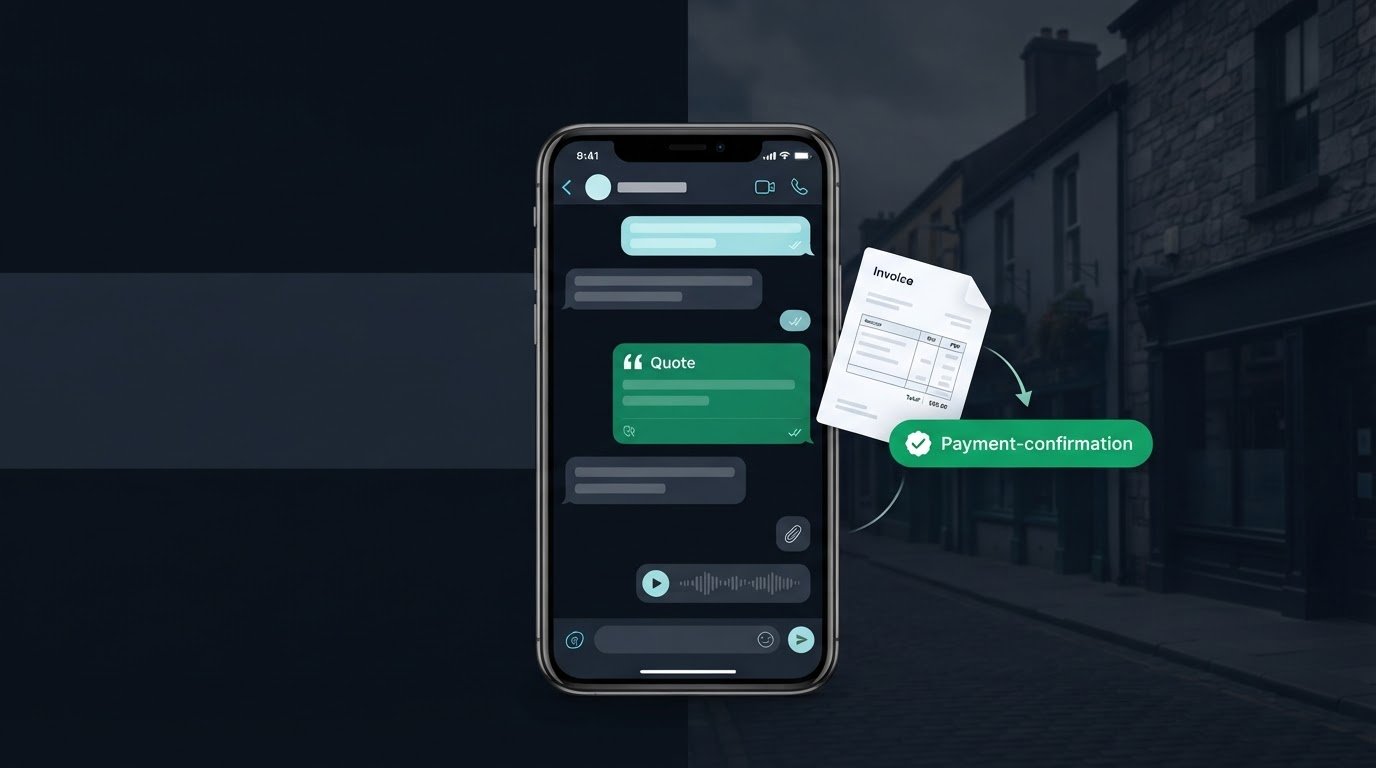
You’ve just finished a job, the next one is waiting, and a customer is still looking for a price. It’s tempting to send a quick figure and get moving. But if the scope, terms or next step aren’t clear, that message can create more admin later. To send business quotes by WhatsApp effectively, use the chat to speed things up without leaving important details behind.
WhatsApp is already where many customer conversations happen. The challenge is making sure a quote is clear, easy to find and simple to act on, even when you’re replying between jobs. A short message can start the conversation, but a complete quote and a planned follow-up help keep it moving.
This guide walks you through preparing a complete quote, sharing it in the customer’s existing chat and making the next step clear without awkward chasing. You’ll also learn how to keep a useful record of quotes and replies, so nothing gets buried in your messages. WaPay helps Irish businesses manage quote admin through WhatsApp or its WebApp, alongside other everyday business tasks. The aim is simple: send the quote, know what happens next and leave less paperwork for the evening.
Key Takeaways
- Prepare the quote details before opening the chat, so the customer can understand exactly what the offer covers.
- Choose an in-chat summary or a prepared document based on how much detail the customer needs to review.
- When you send business quotes by WhatsApp, make the customer’s next step clear and state any relevant terms.
- Keep a useful record of the quote and the customer’s response, distinguishing questions from confirmed agreement.
- WaPay includes Quotes and supports business administration through WhatsApp or its WebApp.
Table of Contents
- Why send business quotes by WhatsApp? Make the chat useful, not informal
- Prepare a complete business quote before you open WhatsApp
- How to send a business quote by WhatsApp: choose a format and follow the steps
- After sending: clarify acceptance, follow up and keep a useful quote record
- Use WaPay to manage business quotes through WhatsApp with less admin
Why send business quotes by WhatsApp? Make the chat useful, not informal
A customer asks what a job will cost while you’re on site, tools in hand and another task waiting. You can leave the message until later, or reply in the chat where you’ve already discussed the work. To send business quotes by WhatsApp, treat your reply as a written offer, not a quick price tossed into the conversation.
A WhatsApp quote sets out what you’re offering, what it costs and the terms that matter. It gives the customer something clear to consider in a channel they already use. WhatsApp speeds up delivery, but it doesn’t make the quote accurate by itself. Scope, assumptions and records still matter. A bare message such as “That’ll be €450” leaves too much unsaid: which work is included, what could change the amount and what the customer should do next.
A quote is also different from an invoice. The quote presents an offer for the customer to consider. An invoice requests payment for work or goods supplied. Keeping that distinction clear helps both sides understand where the job stands.
When does WhatsApp suit a business quote?
Use it when the customer is already discussing the job with you there. A prompt, written offer can keep an active conversation moving and avoid switching channels just to share the basics. WhatsApp Business is designed for business communication through WhatsApp, making the chat a familiar place to continue a customer conversation.
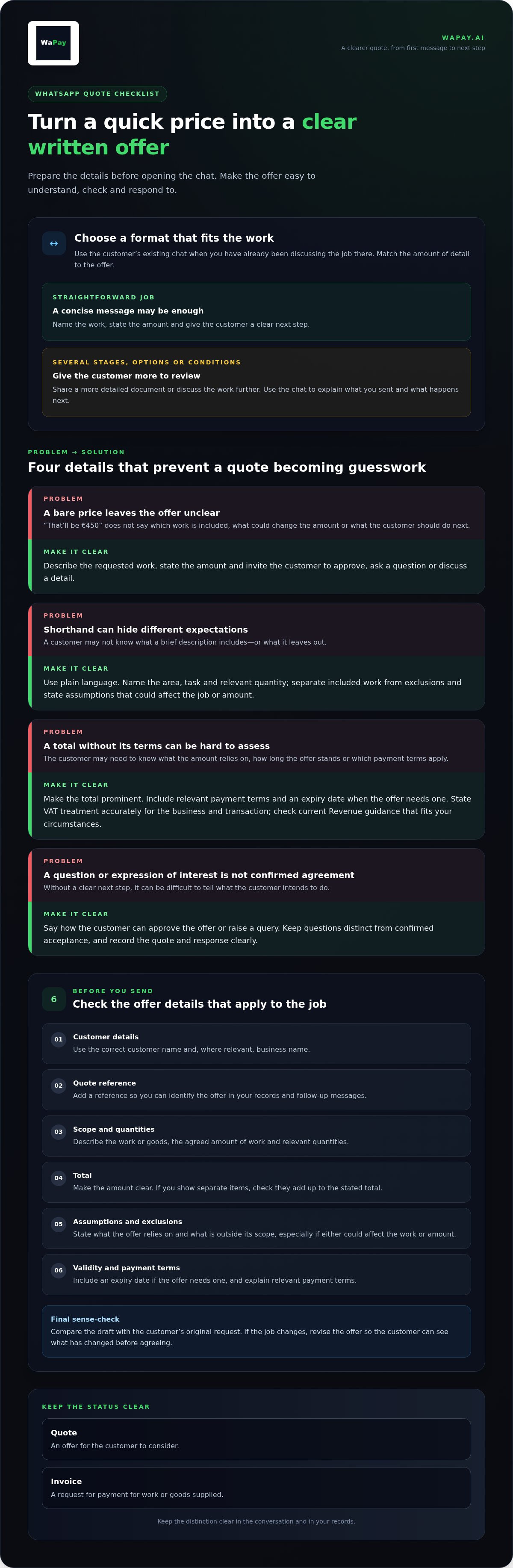
Match the format to the work. A straightforward job may be easy to explain in a concise message. If the scope has several stages, options or conditions, a short chat may not give the customer enough to review. Share a more detailed document or discuss the work further, then use the chat to explain what you’ve sent and what happens next.
What makes a chat-based quote feel professional?
Professional doesn’t have to mean stiff. Address the customer’s request directly, use plain language and make the offer easy to scan. Name the work, state the amount and give a clear next step, such as replying to confirm they’d like to proceed. Avoid unexplained shorthand that could leave the customer guessing about what’s included.
- Be specific: Describe the requested work rather than sending a price with no context.
- Be courteous: Keep the tone clear and respectful, even when replying between jobs.
- Be easy to follow: Separate the offer from any conditions or next-step instructions.
The goal isn’t to turn every chat into a formal sales pitch. It’s to make sure the customer can understand the offer later and that you can tell what you proposed. A useful quote keeps the conversation convenient without letting important details disappear into casual messages.
Prepare a complete business quote before you open WhatsApp
A few minutes spent getting the offer straight can save a longer exchange of corrections later. Before you send business quotes by WhatsApp, gather the details in one place and check that the customer can understand what they’re being asked to approve without having to guess.
Use this checklist as a working draft. Include the details that apply to the job:
- Customer details: Use the correct name and, where relevant, business name.
- Quote reference: Add a reference so you can identify the offer in your records and refer to it in follow-up messages.
- Scope and quantities: Describe the work or goods, the agreed amount of work and any relevant quantities.
- Total: Make the amount clear. If you show separate items, check that they add up to the stated total.
- Assumptions and exclusions: State what the offer relies on and what is outside its scope, especially where either could affect the work or amount.
- Validity and payment terms: Include an expiry date if the offer needs one, and explain relevant payment terms.
Describe the work so both sides understand the offer
Write the scope in the same plain language you used to discuss the job. For example, name the room or area, the task and the quantity instead of relying on shorthand only you understand. Separate what’s included from anything excluded. If the offer assumes access is available or the customer supplies a particular item, say so. Clear boundaries help prevent different expectations from becoming a dispute.
Then compare the draft with the customer’s original request. Does it cover the work they asked about, and only that work? If the job changes, revise the offer so the customer can see what has changed before agreeing.
Set out the amount, validity and next step
Show the total prominently and explain the tax treatment accurately. In Ireland, VAT treatment depends on the business and the transaction, so don’t assume a standard treatment applies to every quote. Check the current Revenue guidance that fits your circumstances before stating VAT details. A quote is not an invoice, so keep invoice-specific requirements for dedicated Irish VAT-invoice guidance.
Where timing matters, give the offer a clear validity period and date. Finish with a practical next step: invite the customer to approve the offer, raise a query or discuss a detail. That makes it easier to move the job forward without implying that a question or informal expression of interest is confirmation.
Once the details are checked, send the offer in the format that suits its complexity. If you want to manage quote admin in the channel you already use, WaPay’s WhatsApp business admin includes Quotes and supports business administration through WhatsApp or its WebApp.
How to send a business quote by WhatsApp: choose a format and follow the steps
The right format depends on the job and what the customer needs to review. A brief, clear offer can keep a simple job moving. A more involved quote needs room for detail. Either way, the chat is the delivery channel, not evidence that the customer has accepted.
Should you send the quote as a message or a document?
Use an in-chat summary only when you can set out the essential scope, amount and relevant terms without making the message difficult to follow. If the quote covers several tasks, quantities, options or exclusions, a prepared document can give those details more space and structure. Choose the format that lets the customer review the offer properly, not simply the one that takes the fewest taps.
Introduce a document with a short note explaining what it covers. Don’t treat a sent attachment or link as approval. The customer still needs to respond clearly if you require confirmation before starting work.
A simple sending sequence for a busy business owner
Use the same quick checks each time you send business quotes by WhatsApp. A consistent routine helps prevent a quote going to the wrong person or an outdated offer being mistaken for the current one.
- Confirm the recipient. Check that you’re in the right customer conversation, especially if you’ve recently been discussing several jobs.
- Check the quote. Match the latest agreed scope, amount and terms to the customer’s request. Make sure you’re sharing the final offer, not a draft or superseded version.
- Add context. Write a short, courteous introduction. Name the job or refer to the customer’s request, then state what you’d like them to do, such as review the offer and reply with any questions.
- Send the offer. Share the complete message or prepared document in the chat. If you’re sending a document, make sure it’s the intended version and can be opened before relying on it as the customer’s copy.
- Record the send. Note the quote reference, recipient and date sent in your business record. Keep the offer and later replies connected to that reference.
Keep the message useful rather than padded. For example: “Hi Aoife, here’s the quote for the kitchen tap replacement we discussed. Please review the scope and reply if you’d like to proceed or have any questions.” Add any relevant deadline or terms if they aren’t clearly shown in the quote itself.
Don’t base your process on read receipts, customer-opening notifications or online acceptance unless the tool you use specifically supports them. A delivered message doesn’t tell you whether the customer agrees. Record the offer you sent, then rely on a clear customer response to establish what happens next.
After sending: clarify acceptance, follow up and keep a useful quote record
A quote in a chat can feel informal if the offer and the customer’s reply are left buried among everyday messages. A simple record closes that gap. Note what you sent, when you sent it and what the customer decided. That gives you a reliable reference if the conversation pauses, the work changes or you need to check what was agreed.
Read replies carefully. A question about a line item is a request for clarification, not acceptance. “I’ll have a look” or “That sounds good” may show interest, but doesn’t clearly confirm the offer. Treat a direct reply that identifies the quote and confirms the scope and terms as a stronger record of agreement. If anything remains unclear, ask the customer to confirm the specific version and work they want to proceed with before you act on it.
How should you follow up when a customer has not replied?
Silence doesn’t tell you whether the customer has read the quote, accepted it or decided against it. Follow up politely, taking the quote’s validity period and the customer’s stated timing into account. If they said they’d review it next week, give them that time. If a deadline is approaching, mention it plainly without creating pressure or implying the offer remains open beyond its stated terms.
Keep the message short and useful: “Hi, just following up on quote Q-104 for the repair. Is there anything you’d like me to clarify?” If the customer prefers another contact approach, respect that preference. Avoid repeated nudges that add no new information.
How do you keep quote decisions out of chat clutter?
Use one consistent business record for every offer, rather than relying on memory or searching through old conversations. Record the quote reference, customer, date sent and current status, such as awaiting reply, queried, accepted, declined or expired. Add the date and a brief note when the customer makes a decision or requests a change.
Keep the final agreed scope with the record, along with the customer’s confirming reply. If you revise the offer, label the new version clearly with an updated reference or date, and mark the earlier one as superseded. Tell the customer which version replaces the previous offer. That prevents both sides from referring to different amounts or scopes later.
- Question: Reply with the requested clarification and record any change to the offer.
- Unclear indication: Ask the customer to confirm the quote and scope they mean.
- Clear agreement: Record the confirmation against the relevant quote version.
A repeatable routine makes it easier to send business quotes by WhatsApp without turning the chat into your filing system. Manage business quotes with WaPay through WhatsApp or its WebApp, alongside other everyday business administration.
Use WaPay to manage business quotes through WhatsApp with less admin
A clear quote process helps, but keeping customer offers, replies and changes organised can still take time when you’re moving between jobs. WaPay gives Irish small businesses a way to handle business administration through WhatsApp or its WebApp, with Quotes included. It lets you manage quote admin in a channel many customers already use, rather than making it another separate task to remember.
Where WaPay fits into the quote workflow
Quotes sit alongside WaPay’s wider small-business administration services. You can also manage invoices, bookings, bills, payment reminders and VAT records, with a live business dashboard to view business activity. That broader view can help keep routine admin together, whilst you prepare each quote with the right scope, terms and amount for the customer.
WaPay can create invoices and payment links from text messages or voice notes. That can make repetitive back-office tasks easier to handle from a conversation. For quotes, keep the quote reference, version and customer decision together in your business record, so you can quickly find the offer and its outcome.
A quote may be revised, queried or accepted after several messages, and useful details can quickly get lost in a busy chat. Keep the quote reference and the customer’s decision together in your business records. Use the dashboard to view business activity, and record the specific quote and any agreed changes clearly.
Make the next step lighter, not more complicated
WaPay works through WhatsApp or its WebApp. There’s no app to download and no subscription, so you can use the channel that fits your routine without adding another app to your phone. The aim is to reduce friction around everyday administration, not add a complicated system on top of the work you already do.
Keep the quote itself clear, and make the customer’s next step explicit. If they accept, record the decision and agreed scope. If they ask for a change, keep the revised offer distinct from the earlier one. When the work is ready to be invoiced or payment is due, WaPay also supports invoices and payments. Customer payments go directly to the business bank account. Payment timing depends on the payment method, so don’t treat a quote or payment link as a promise of instant funds.
If you want quote admin and other routine business tasks closer to the conversations you already manage, explore WaPay as a practical next step. Use it to support your workflow, while keeping the offer, the customer’s response and any changes clear in your records.
Make your next quote easier to manage
The best time to improve quote admin is before the next customer asks for a price. Set up one simple routine that fits the way you already work: give each offer a reference, save the final version with the customer’s decision, and decide when you’ll revisit it if there’s no reply. A small, repeatable habit means fewer loose ends to carry from one job into the next.
With that routine in place, you can send business quotes by WhatsApp without letting a convenient chat become the only place the details live. Keep the customer conversation natural, whilst your business record stays dependable. The aim isn’t more paperwork. It’s a clear handover from quote to confirmed work, with less to remember when the working day is done.
Set aside a moment after each quote to check that its status is clear, then adjust your routine if the same snag keeps coming up. That helps make the process workable on busy days, not just when the diary is quiet.
Explore WaPay and make quote admin easier, then choose a practical next step for keeping your business moving. A little structure now can make the next customer conversation easier to manage and help you finish the day with fewer loose ends.
Frequently Asked Questions
Can I send a business quote directly in a WhatsApp message?
Yes, a WhatsApp message can carry a simple business quote if the offer is clear on its own. For a one-off call-out, name the task, total in euros, any key condition and how the customer can respond. Add a quote reference so you can match the message to your records later. For broader work, send business quotes by WhatsApp with a prepared document when the details won’t fit clearly in chat.
Is WhatsApp Business necessary for sending quotes?
No, you can discuss a quote through a regular WhatsApp account. WhatsApp Business isn’t a requirement for sending a message. A dedicated business profile may help customers recognise your business and keep work conversations distinct from personal chats. Whichever account you use, make your business identity clear, keep a professional tone and store quote details in your own records. An account type alone doesn’t confirm that a customer has accepted an offer.
What should I write in the WhatsApp message with a quote?
Keep the message brief, and tell the customer what they’re reviewing and what to do next. For example: “Hi [name], I’ve sent quote [reference] for [job]. It covers [short description] and is valid until [date]. Please reply if you’d like to discuss anything or confirm you want to proceed.” Make sure any summary in the chat matches the quote itself, especially the amount and scope.
Can a WhatsApp reply count as acceptance of a business quote?
A WhatsApp reply can communicate acceptance, but its meaning depends on the offer, the wording and the circumstances. Don’t treat a vague “sounds good” as clear confirmation if the customer hasn’t identified what they’re agreeing to. Ask them to confirm the relevant quote reference and scope, then keep their response with your business record. For a legal question about a specific agreement, seek advice suited to that situation.
How long should a business quote sent by WhatsApp remain valid?
Set a validity period that reflects how long you can honour the quoted scope and terms. There’s no single duration that suits every job. Consider whether the offer depends on materials, availability or other conditions that could change. Put the expiry date in the quote, and mention it in the chat if useful. If you extend the period, record the change and make sure the customer has the updated details.
Can I change a quote after sending it on WhatsApp?
Yes, if the scope or terms change, issue a clearly revised offer rather than adding a new figure without context. Give the new version a date or reference, and briefly identify what changed, such as an added task or altered quantity. Keep the earlier version in your records, marked as replaced, and ask the customer to confirm the current offer. This leaves a clear trail if questions arise later.
Should I send a quote as a PDF or paste it into WhatsApp?
Choose the format that keeps the offer easiest to review. A short message can work for a simple job, whilst a prepared document gives a detailed scope or several items more room. If you send a document, introduce it in the chat and check that the message summary agrees with the written offer. Don’t rely on a particular file type as proof of delivery or acceptance; keep your own record of what you sent.
Frequently asked questions
When does WhatsApp suit a business quote?
Use it when the customer is already discussing the job with you there. A prompt, written offer can keep an active conversation moving and avoid switching channels just to share the basics. WhatsApp Business is designed for business communication through WhatsApp, making the chat a familiar place to continue a customer conversation. Match the format to the work. A straightforward job may be easy to explain in a concise message. If the scope has several stages, options or conditions, a short chat may not give the customer enough to review. Share a more detailed document or discuss the work further, then use the chat to explain what you’ve sent and what happens next.
What makes a chat-based quote feel professional?
Professional doesn’t have to mean stiff. Address the customer’s request directly, use plain language and make the offer easy to scan. Name the work, state the amount and give a clear next step, such as replying to confirm they’d like to proceed. Avoid unexplained shorthand that could leave the customer guessing about what’s included. The goal isn’t to turn every chat into a formal sales pitch. It’s to make sure the customer can understand the offer later and that you can tell what you proposed. A useful quote keeps the conversation convenient without letting important details disappear into casual messages. A few minutes spent getting the offer straight can save a longer exchange of corrections later. Before you send business quotes by WhatsApp, gather the details in one place and check that the customer can understand what they’re being asked to approve without having to guess. Use this checklist as a working draft. Include the details that apply to the job:
Should you send the quote as a message or a document?
Use an in-chat summary only when you can set out the essential scope, amount and relevant terms without making the message difficult to follow. If the quote covers several tasks, quantities, options or exclusions, a prepared document can give those details more space and structure. Choose the format that lets the customer review the offer properly, not simply the one that takes the fewest taps. Introduce a document with a short note explaining what it covers. Don’t treat a sent attachment or link as approval. The customer still needs to respond clearly if you require confirmation before starting work.
How should you follow up when a customer has not replied?
Silence doesn’t tell you whether the customer has read the quote, accepted it or decided against it. Follow up politely, taking the quote’s validity period and the customer’s stated timing into account. If they said they’d review it next week, give them that time. If a deadline is approaching, mention it plainly without creating pressure or implying the offer remains open beyond its stated terms. Keep the message short and useful: “Hi, just following up on quote Q-104 for the repair. Is there anything you’d like me to clarify?” If the customer prefers another contact approach, respect that preference. Avoid repeated nudges that add no new information.
How do you keep quote decisions out of chat clutter?
Use one consistent business record for every offer, rather than relying on memory or searching through old conversations. Record the quote reference, customer, date sent and current status, such as awaiting reply, queried, accepted, declined or expired. Add the date and a brief note when the customer makes a decision or requests a change. Keep the final agreed scope with the record, along with the customer’s confirming reply. If you revise the offer, label the new version clearly with an updated reference or date, and mark the earlier one as superseded. Tell the customer which version replaces the previous offer. That prevents both sides from referring to different amounts or scopes later. A repeatable routine makes it easier to send business quotes by WhatsApp without turning the chat into your filing system. Manage business quotes with WaPay through WhatsApp or its WebApp, alongside other everyday business administration. A clear quote process helps, but keeping customer offers, replies and changes organised can still take time when you’re moving between jobs. WaPay gives Irish small businesses a way to handle business administration through WhatsApp or its WebApp, with Quotes included. It lets you manage quote admin in a channel many customers already use, rather than making it another separate task to remember.
Can I send a business quote directly in a WhatsApp message?
Yes, a WhatsApp message can carry a simple business quote if the offer is clear on its own. For a one-off call-out, name the task, total in euros, any key condition and how the customer can respond. Add a quote reference so you can match the message to your records later. For broader work, send business quotes by WhatsApp with a prepared document when the details won’t fit clearly in chat.
Is WhatsApp Business necessary for sending quotes?
No, you can discuss a quote through a regular WhatsApp account. WhatsApp Business isn’t a requirement for sending a message. A dedicated business profile may help customers recognise your business and keep work conversations distinct from personal chats. Whichever account you use, make your business identity clear, keep a professional tone and store quote details in your own records. An account type alone doesn’t confirm that a customer has accepted an offer.
What should I write in the WhatsApp message with a quote?
Keep the message brief, and tell the customer what they’re reviewing and what to do next. For example: “Hi [name], I’ve sent quote [reference] for [job]. It covers [short description] and is valid until [date]. Please reply if you’d like to discuss anything or confirm you want to proceed.” Make sure any summary in the chat matches the quote itself, especially the amount and scope.
Can a WhatsApp reply count as acceptance of a business quote?
A WhatsApp reply can communicate acceptance, but its meaning depends on the offer, the wording and the circumstances. Don’t treat a vague “sounds good” as clear confirmation if the customer hasn’t identified what they’re agreeing to. Ask them to confirm the relevant quote reference and scope, then keep their response with your business record. For a legal question about a specific agreement, seek advice suited to that situation.
How long should a business quote sent by WhatsApp remain valid?
Set a validity period that reflects how long you can honour the quoted scope and terms. There’s no single duration that suits every job. Consider whether the offer depends on materials, availability or other conditions that could change. Put the expiry date in the quote, and mention it in the chat if useful. If you extend the period, record the change and make sure the customer has the updated details.
Can I change a quote after sending it on WhatsApp?
Yes, if the scope or terms change, issue a clearly revised offer rather than adding a new figure without context. Give the new version a date or reference, and briefly identify what changed, such as an added task or altered quantity. Keep the earlier version in your records, marked as replaced, and ask the customer to confirm the current offer. This leaves a clear trail if questions arise later.
Should I send a quote as a PDF or paste it into WhatsApp?
Choose the format that keeps the offer easiest to review. A short message can work for a simple job, whilst a prepared document gives a detailed scope or several items more room. If you send a document, introduce it in the chat and check that the message summary agrees with the written offer. Don’t rely on a particular file type as proof of delivery or acceptance; keep your own record of what you sent.